

In the ever-evolving landscape of data analytics, organizations are constantly seeking a unified, simplified, and powerful platform to turn their data into a competitive advantage. Enter Microsoft Fabric, an end-to-end, SaaS-based analytics solution that brings together all the data and analytics tools that organizations need. From data integration and engineering to business intelligence and AI, Fabric provides a single, cohesive environment to unlock the full potential of your data.
This comprehensive guide will walk you through each of the core services within Microsoft Fabric, exploring their capabilities, use cases, and how they fit into this revolutionary platform. We'll also be using some handy, handwritten-style cards to visually summarize each service.
Let's begin
0. The supported standards
File Formats
| Format | Extension | Description | Use Case | |
| ApacheAvro | .avro | Binary format with schema evolution support and logical types | Streaming data, event data | |
| Avro | .avro | Legacy binary format based on .NET library | Legacy systems integration | |
| Parquet | .parquet | Columnar storage format optimized for analytics | Data warehousing, analytics | |
| ORC | .orc | Optimized Row Columnar format for Hadoop | Big data processing | |
| CSV | .csv | Comma-separated values text format | Data exchange, imports/exports | |
| TSV | .tsv | Tab-separated values text format | Data exchange | |
| JSON | .json | JavaScript Object Notation, line-delimited | APIs, web services | |
| MultiJSON | .multijson | JSON array or whitespace-delimited objects | Complex nested data | |
| XML | .xml | Extensible Markup Language | Enterprise integration | |
| Excel | .xlsx | Microsoft Excel workbook format | Business reporting | |
.pdf | Portable Document Format | Document ingestion | ||
| PSV | .psv | Pipe-separated values (` | `) | Alternative delimiter format |
| SCsv | .scsv | Semicolon-separated values (;) | European data formats | |
| SOHsv | .sohsv | SOH-separated values (ASCII 1) | Hive on HDInsight | |
| TSVE | .tsv | Tab-separated with backslash escaping | Special character handling | |
| TXT | .txt | Plain text with line delimiters | Simple text data | |
| RAW | .raw | Single string value file | Unstructured data | |
| W3CLOGFILE | .log | W3C standardized web log format | Web server logs |
Compression Formats
| Compression | Extension | Supported Codecs |
| GZip | .gz | Standard gzip compression |
| Zip | .zip | Archive or single file compression |
| Deflate | Internal | Avro/Parquet internal compression |
| Snappy | Internal | Fast compression for Avro/Parquet |
Data Connectors (200+ Supported)
Cloud Storage Connectors
| Connector | Type | Dataflow Gen2 | Pipeline | Copy Job |
| Azure Blob Storage | Cloud | ✓ Source | ✓ Source/Sink | ✓ Source/Sink |
| Azure Data Lake Storage Gen2 | Cloud | ✓ Source | ✓ Source/Sink | ✓ Source/Sink |
| Azure Files | Cloud | - | ✓ Source/Sink | - |
| Amazon S3 | Cloud | - | ✓ Source/Sink | ✓ Source/Sink |
| Amazon S3 Compatible | Cloud | - | ✓ Source/Sink | ✓ Source |
| Google Cloud Storage | Cloud | - | ✓ Source/Sink | ✓ Source/Sink |
| OneLake | Fabric | ✓ Source/Sink | ✓ Source/Sink | ✓ Source/Sink |
Relational Databases
| Database | Dataflow Gen2 | Pipeline | Copy Job |
| Azure SQL Database | ✓ Source/Sink | ✓ Source/Sink | ✓ Source/Sink |
| SQL Server | ✓ Source | ✓ Source/Sink | ✓ Source/Sink |
| Azure SQL Managed Instance | - | ✓ Source/Sink | ✓ Source/Sink |
| PostgreSQL | ✓ Source | ✓ Source | ✓ Source |
| MySQL | ✓ Source | ✓ Source | ✓ Source |
| Oracle Database | ✓ Source | ✓ Source/Sink | ✓ Source/Sink |
| IBM Db2 | ✓ Source | ✓ Source | ✓ Source |
| MariaDB | ✓ Source | ✓ Source | ✓ Source |
| Teradata | ✓ Source | ✓ Source/Sink | - |
NoSQL & Analytical Databases
| Database | Type | Dataflow Gen2 | Pipeline | Copy Job |
| Azure Cosmos DB (NoSQL) | NoSQL | ✓ Source | ✓ Source/Sink | - |
| Azure Cosmos DB (MongoDB) | NoSQL | - | ✓ Source/Sink | - |
| MongoDB / MongoDB Atlas | NoSQL | - | ✓ Source/Sink | - |
| Cassandra | NoSQL | - | ✓ Source | - |
| Azure Data Explorer (Kusto) | Analytical | ✓ Source/Sink | ✓ Source/Sink | ✓ Source/Sink |
| Snowflake | Analytical | ✓ Source | ✓ Source/Sink | ✓ Source/Sink |
| Amazon Redshift | Analytical | ✓ Source | ✓ Source | - |
| Google BigQuery | Analytical | ✓ Source | ✓ Source | ✓ Source |
| Databricks | Analytical | ✓ Source | - | - |
| Azure Synapse Analytics | Analytical | ✓ Source | ✓ Source/Sink | ✓ Source/Sink |
Microsoft Fabric Native
| Fabric Item | Dataflow Gen2 | Pipeline | Copy Job |
| Fabric Data Warehouse | ✓ Source/Sink | ✓ Source/Sink | ✓ Source/Sink |
| Fabric Lakehouse | ✓ Source/Sink | ✓ Source/Sink | ✓ Source/Sink |
| Fabric KQL Database | ✓ Source/Sink | ✓ Source/Sink | - |
| Fabric SQL Database | ✓ Source/Sink | ✓ Source/Sink | ✓ Source/Sink |
SaaS & Business Applications
| Application | Category | Dataflow Gen2 |
| Salesforce | CRM | ✓ Source |
| Dynamics 365 | ERP/CRM | ✓ Source |
| Dataverse | Platform | ✓ Source |
| SharePoint Online | Collaboration | ✓ Source/Sink |
| Microsoft 365 | Productivity | - |
| ServiceNow | ITSM | - |
| SAP HANA | ERP | ✓ Source |
| SAP BW | Analytics | ✓ Source |
| Google Analytics | Analytics | ✓ Source |
| Adobe Analytics | Analytics | ✓ Source |
Authentication & Security Protocols
| Protocol/Standard | Description | Use Case |
| OAuth 2.0 | Industry-standard authorization framework | API authorization, delegated access |
| OpenID Connect (OIDC) | Identity layer built on OAuth 2.0 | User authentication, SSO |
| SAML 2.0 | Security Assertion Markup Language | Enterprise SSO, federated identity |
| WS-Federation | Web Services Federation protocol | Legacy enterprise authentication |
| Microsoft Entra ID | Cloud identity and access management | Azure authentication |
| Service Principal | Application identity in Azure | Automated workflows, CI/CD |
| Managed Identity | Azure-managed service identity | Passwordless authentication |
| API Keys | Token-based authentication | Simple API access |
| Azure Key Vault | Secrets and certificate management | Secure credential storage |
| TLS 1.2+ | Transport Layer Security | Encrypted data in transit |
| AES-256 | Advanced Encryption Standard | Data encryption at rest |
Data Transfer Protocols
| Protocol | Description | Port | Use Case |
| HTTPS | Secure HTTP over TLS | 443 | Web APIs, secure transfers |
| HTTP | Hypertext Transfer Protocol | 80 | Non-secure web transfers |
| FTP | File Transfer Protocol | 21 | Legacy file transfers |
| SFTP | SSH File Transfer Protocol | 22 | Secure file transfers |
| JDBC | Java Database Connectivity | Varies | Java application database access |
| ODBC | Open Database Connectivity | Varies | Cross-platform database access |
| TDS | Tabular Data Stream | 1433 | SQL Server protocol |
| REST | Representational State Transfer | 443 | Web APIs, microservices |
| OData | Open Data Protocol | 443 | Standardized REST APIs |
| XMLA | XML for Analysis | 443 | Analysis Services |
API Standards
| Standard | Description | Format |
| Microsoft Fabric REST API | Core CRUD operations for Fabric items | JSON over HTTPS |
| HTTP Methods | GET, POST, PUT, PATCH, DELETE | RESTful operations |
| JSON | Request/response payload format | Data interchange |
| OpenAPI/Swagger | API specification standard | API documentation |
| RESTful Architecture | Resource-based API design | Web services |
Compliance & Regulatory Standards
| Standard | Full Name | Description |
| GDPR | General Data Protection Regulation | EU data privacy regulation |
| HIPAA | Health Insurance Portability and Accountability Act | Healthcare data protection (US) |
| SOC 1/2/3 | Service Organization Control | Audit standards for service providers |
| ISO 27001 | Information Security Management | International security standard |
| ISO 27018 | Cloud Privacy | Cloud-specific privacy standard |
| FedRAMP | Federal Risk and Authorization Management Program | US government cloud security |
| PCI DSS | Payment Card Industry Data Security Standard | Payment data security |
| CCPA | California Consumer Privacy Act | California privacy law |
Industry & Technical Standards
| Standard | Organization | Description |
| ANSI SQL | ANSI | Standard SQL language specification |
| W3C Standards | W3C | Web technologies and formats |
| RFC Standards | IETF | Internet protocols and specifications |
| Apache Parquet | Apache | Columnar storage format |
| Apache ORC | Apache | Optimized Row Columnar format |
| Apache Avro | Apache | Data serialization system |
| JSON Schema | JSON | JSON data validation |
| CSV RFC 4180 | IETF | CSV format specification |
Data Types Supported
| Category | Data Types |
| Exact Numerics | bit, tinyint, smallint, int, bigint, decimal, numeric, money, smallmoney |
| Approximate Numerics | float, real |
| Date and Time | date, time, datetime, datetime2, smalldatetime, datetimeoffset |
| Character Strings | char, varchar, text |
| Unicode Strings | nchar, nvarchar, ntext |
| Binary | binary, varbinary, image |
| Other Types | uniqueidentifier, xml, json, geography, geometry, hierarchyid |
Data Governance (Microsoft Purview Integration)
| Feature | Description |
| Data Cataloging | Automated discovery and classification |
| Data Lineage | Track data flow across systems |
| Sensitivity Labels | Classify and protect sensitive data |
| Protection Policies | Enforce data handling rules |
| Compliance Management | Monitor regulatory compliance |
| Data Quality | Validate and monitor data quality |
1. Power BI: The Visualization Powerhouse

At the heart of Microsoft Fabric's business intelligence capabilities lies Power BI. It's an interactive data visualization software with a primary focus on business intelligence. Power BI allows you to connect to hundreds of data sources, create stunning and interactive dashboards, and share insights with anyone in your organization. [1]
Power BI is deeply integrated with the entire Microsoft ecosystem, including Excel, Azure, and now, the full suite of Fabric services. This allows for a smooth and familiar user experience. With built-in AI capabilities, you can automatically discover hidden patterns and trends in your data, generate natural language summaries, and ask questions of your data in plain English. Power BI can also connect to streaming data sources, allowing you to create real-time dashboards that monitor key metrics as they happen.
Whether you're tracking key performance indicators (KPIs) for sales and marketing, creating interactive financial statements, or monitoring production lines with operational dashboards, Power BI provides the visualization power you need. It's the ultimate tool for turning raw data into actionable insights that drive business decisions.
2. Databases: The Transactional Foundation
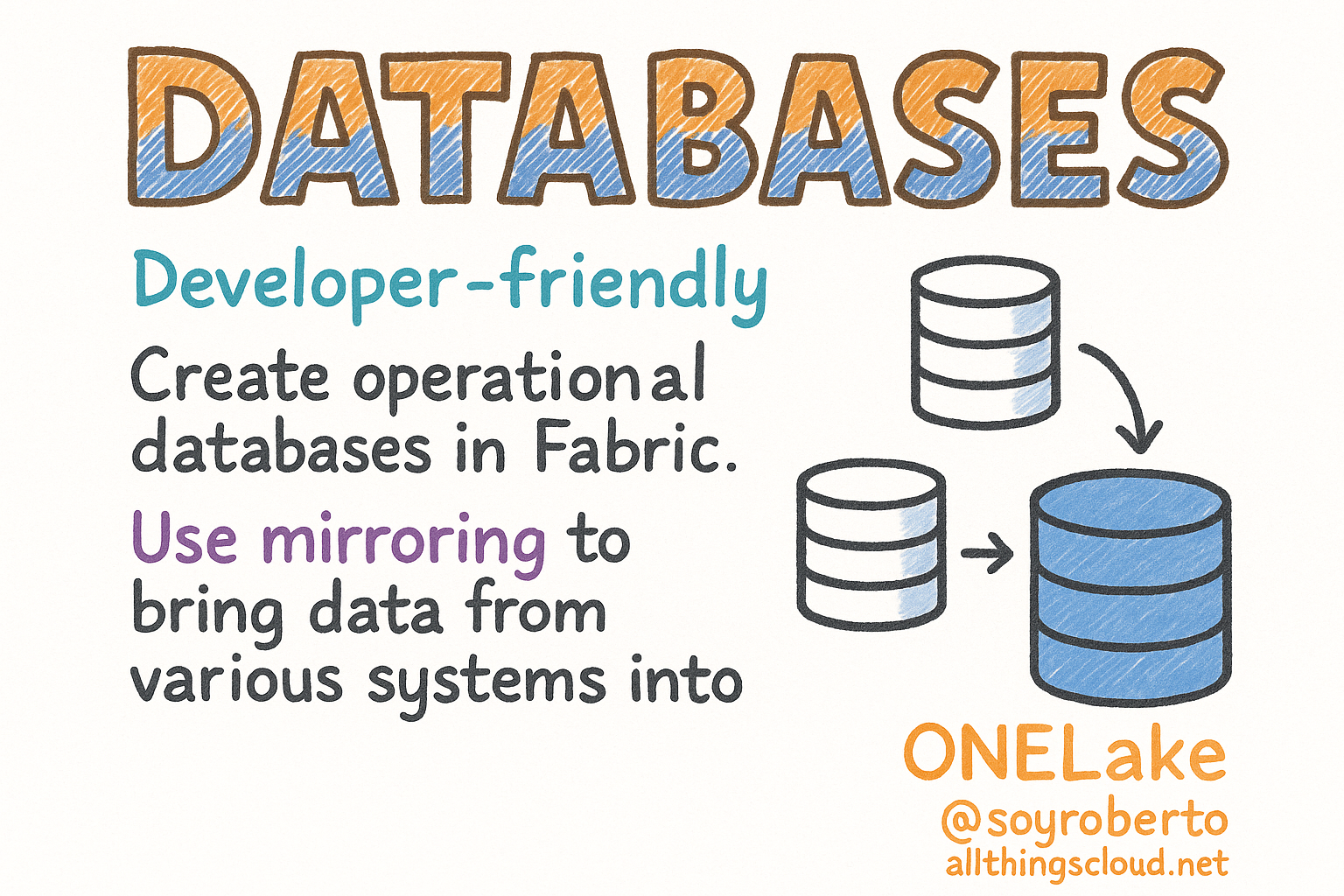
Microsoft Fabric provides a developer-friendly transactional database experience, allowing you to create and manage operational databases directly within the Fabric environment. A key feature here is Mirroring, which allows you to bring data from various systems into OneLake, creating a single source of truth for your organization. [2]
Mirroring continuously replicates your existing data estate directly into Fabric's OneLake, including data from Azure SQL Database, Azure Cosmos DB, and even other cloud providers like Snowflake. This provides a familiar SQL environment for developers to build and manage transactional applications while breaking down data silos and enabling cross-database queries and analytics.
From powering e-commerce platforms with reliable and scalable transactional databases to building secure and high-performance financial systems, Fabric's database capabilities provide the foundation for your mission-critical applications. You can also develop custom line-of-business applications to support your specific business needs, all within the unified Fabric environment.
3. Data Factory: The Data Integration Engine

Data Factory in Microsoft Fabric provides a modern data integration experience to ingest, prepare, and transform data from a rich set of data sources. It combines the simplicity of Power Query with the power and scale of Azure Data Factory, allowing you to build and manage complex ETL (Extract, Transform, Load) and ELT (Extract, Load, Transform) pipelines. [3]
With over 200 native connectors, Data Factory can connect to a vast array of on-premises and cloud data sources. You can use the intuitive, drag-and-drop interface of Power Query for code-free data transformation, or write your own code in languages like Python and Spark for more advanced scenarios. Data Factory also leverages AI-powered transformations to automatically cleanse, enrich, and transform your data, saving you time and effort.
Whether you're populating your data warehouse with clean and consistent data, migrating data from legacy systems to modern cloud platforms, or preparing large datasets for big data analytics and machine learning, Data Factory provides the integration engine you need to move and transform your data at scale.
4. Industry Solutions: Tailored for Your Needs

Microsoft Fabric provides Industry Solutions that address the unique needs and challenges of specific industries. These solutions include pre-built data models, reports, and analytics that are tailored to industries like healthcare, retail, and financial services. [4]
Instead of starting from scratch, you can get a head start with pre-built data models that are designed for your specific industry. You'll also have access to a library of pre-built reports and dashboards that provide key insights for your industry, which you can customize to meet your specific business needs.
In healthcare, you can analyze patient data to improve outcomes, reduce costs, and enhance the patient experience. Retailers can analyze customer data to personalize marketing campaigns, optimize pricing, and improve inventory management. Financial services organizations can analyze financial data to detect fraud, manage risk, and comply with regulations. Industry Solutions accelerate your time to value by providing industry-specific templates and best practices.
5. Real-Time Intelligence: Act in the Moment

Real-Time Intelligence in Microsoft Fabric is all about analyzing data as it arrives. This is crucial for scenarios involving IoT sensor data, application logs, or website clickstreams. It enables you to extract insights, visualize data, and take action on data in motion. [5]
Real-Time Intelligence provides an event-driven architecture that allows you to build applications that react to data as it happens. With high-throughput ingestion capabilities, you can ingest and process millions of events per second with low latency. You can create real-time dashboards to monitor key metrics and set up alerts to be notified of important events as they occur.
Use cases include analyzing data from IoT devices to monitor equipment, predict failures, and optimize performance. You can analyze application logs to troubleshoot issues, detect security threats, and monitor performance in real-time. Website owners can analyze clickstream data to understand user behavior, personalize content, and optimize conversion rates. Real-Time Intelligence empowers you to make decisions at the speed of your business.
6. Data Engineering: Building the Data Foundation

Data Engineering in Fabric provides a world-class Apache Spark experience for processing large datasets. It includes notebooks for collaborative data science and tools for scheduling and orchestrating data transformation jobs. [6]
You get a fully managed and optimized Spark environment without the need to manage your own clusters. Data engineers can use familiar notebook tools like Jupyter to collaborate on data science and data engineering projects. The integration with Data Factory allows you to schedule and orchestrate your Spark jobs as part of your broader data pipelines.
Whether you're processing and analyzing massive datasets with the power of Apache Spark, building and training machine learning models on large datasets, or preparing and transforming data for downstream analytics and reporting, Data Engineering provides the scalable compute power you need. It's the foundation for building robust data pipelines that can handle the most demanding workloads.
7. Data Science: Unlocking Predictive Insights

Data Science in Microsoft Fabric provides an end-to-end workflow for building, deploying, and operationalizing machine learning models. It integrates with Azure Machine Learning to provide a rich set of tools for experiment tracking, model management, and responsible AI. [7]
Data scientists can leverage the full power of Azure Machine Learning for building and managing their machine learning models. The platform provides experiment tracking to track and compare your machine learning experiments to find the best performing models. A centralized model registry allows you to store and manage your machine learning models in one place.
Use cases include predictive maintenance, where you can predict when equipment is likely to fail so you can perform maintenance proactively. You can predict which customers are likely to churn so you can take action to retain them. Financial institutions can detect fraudulent transactions in real-time. Data Science in Fabric democratizes AI by making it easier for data scientists to build, deploy, and manage machine learning models at scale.
8. Data Warehouse: The Analytics Powerhouse

Data Warehouse in Fabric provides a next-generation data warehouse with industry-leading SQL performance and scale. It separates compute from storage, allowing you to scale each component independently. It also natively stores data in the open Delta Lake format. [8]
The decoupled compute and storage architecture allows you to scale your compute and storage resources independently to meet the demands of your workload. By storing data in the open and reliable Delta Lake format, you get ACID transactions, schema enforcement, and time travel capabilities. The unified analytics approach allows you to query your data warehouse and your data lake with a single SQL endpoint, eliminating data silos.
Whether you're powering BI dashboards and reports with a high-performance data warehouse, enabling your business users to perform ad-hoc analysis on large datasets, or providing a data warehousing service to your internal and external customers, Fabric's Data Warehouse delivers the performance and scale you need for modern analytics workloads.
9. OneLake: The Unified Data Lake

OneLake is the cornerstone of Microsoft Fabric. It provides a single, unified, logical data lake for your entire organization. Think of it as the OneDrive for data. With OneLake, you no longer have to manage multiple data lakes for different business units or departments. [9]
OneLake provides a single data lake for your entire organization, which simplifies data management and governance. It stores data in the open Delta Lake format, which means you can use any tool that supports Delta Lake to access your data. You can also create shortcuts to your existing data in other data lakes, such as Azure Data Lake Storage, without having to copy the data, reducing storage costs and complexity.
OneLake enables centralized data management by managing all your organization's data in a single, centralized location. It promotes data democratization by providing easy access to data for all your users, from data scientists to business analysts. You can perform analytics across different business domains without having to move or copy data, enabling true cross-domain analytics.
10. Real-Time Hub: The Streaming Data Catalog

Real-Time Hub in Fabric is a centralized catalog for all your streaming data. It provides a wide variety of no-code connectors to ingest data from various sources, and it converges all your streaming data into a single, governed, and integrated catalog. [10]
The Real-Time Hub allows you to ingest data from a wide variety of streaming sources with no-code connectors, making it easy to bring streaming data into Fabric. A single catalog for all your streaming data simplifies data discovery and governance. The Real-Time Hub is deeply integrated with the rest of the Fabric services, allowing you to easily process, analyze, and visualize your streaming data.
Use cases include real-time data discovery, where you can discover and explore all the real-time data streams in your organization. You can govern your streaming data with a centralized catalog and access control. The Real-Time Hub also enables real-time data integration, allowing you to integrate your streaming data with your other data assets in Fabric for comprehensive analytics.
11. Copilot in Fabric: Your AI-Powered Assistant

Copilot in Fabric is a generative AI assistant that is deeply integrated into the Microsoft Fabric experience. It uses large language models to help you transform data, generate insights, and create visualizations with natural language. Copilot works across all Fabric workloads, providing a consistent and powerful AI assistant for all your data analytics needs. [11]
Copilot can generate code in languages like SQL and Python from natural language prompts, dramatically accelerating development. It automatically generates summaries of your data, identifies key insights, and creates narrative visualizations. As you write code, Copilot provides intelligent code completions and suggestions to improve productivity and code quality.
Whether you're accelerating the development of your data pipelines, reports, and machine learning models with AI-powered assistance, democratizing data science by enabling business users to perform complex data analysis with natural language, or improving code quality with AI-powered suggestions and completions, Copilot in Fabric is your intelligent assistant that makes everyone more productive.
12. Real-Time Analytics: Analyze Data in Motion

Real-Time Analytics in Microsoft Fabric is an end-to-end solution for event-driven scenarios and streaming data. It allows you to ingest, transform, store, analyze, and visualize data in motion. It uses the powerful Kusto Query Language (KQL) for fast and efficient queries on large volumes of streaming data. [12]
Real-Time Analytics provides an event-driven architecture that allows you to build applications that react to events as they happen, enabling real-time decision-making. Using the Kusto Query Language (KQL), you can perform complex queries on large volumes of streaming data with sub-second latency. Real-Time Analytics is deeply integrated with the rest of the Fabric services, allowing you to easily combine your streaming data with your other data assets.
Use cases include analyzing massive volumes of logs to troubleshoot issues, detect security threats, and monitor performance. You can analyze time-series data to identify trends, patterns, and anomalies. IoT scenarios benefit from analyzing data from IoT devices to monitor equipment, predict failures, and optimize performance. Real-Time Analytics gives you the power to analyze data in motion and act on insights immediately.
Left to Right Flow:
Scattered Data Sources (Left) - Excel files, SQL databases, cloud apps, IoT sensors, and legacy systems all disconnected with the annotation "Before: Data Silos"
Data Factory (Left-Center) - Ingestion layer with 200+ connectors performing ETL/ELT operations
OneLake (Center) - The unified data lake in the signature orange-to-blue gradient style, labeled as "Single Source of Truth" with Delta Lake format, governed and secure
Processing Layer (Center-Right) - Three parallel tracks:
Data Engineering (Apache Spark)
Data Warehouse (SQL Analytics)
Real-Time Analytics (KQL Queries)
AI & Intelligence - Data Science with ML models and Copilot as the AI-powered assistant
Power BI (Right) - Visualization and reporting with real-time dashboards
Business Outcomes (Far Right) - Data-driven decisions, faster insights, and strategic planning
Additional Components:
Real-Time Hub catalog for streaming data
Databases with mirroring capability

Conclusion: The Future of Analytics looks to be Unified
Fabric represents a paradigm shift in the world of data and analytics. By bringing together all the tools that organizations need into a single, unified platform, Fabric breaks down data silos, simplifies data management, and empowers everyone in the organization to make better decisions with data. Whether you are a data engineer, a data scientist, a business analyst, or a business user, Fabric provides a tailored experience that meets your specific needs.
As we have seen, each of the services within Fabric plays a crucial role in the end-to-end analytics workflow. From data integration and engineering to business intelligence and AI, Fabric provides a comprehensive and cohesive solution that is greater than the sum of its parts. The future of analytics is unified, and Microsoft Fabric is leading the way.
By Roberto
References
[1] Microsoft. (2025, June 30). What is Power BI?. Microsoft Learn. https://learn.microsoft.com/en-us/power-bi/fundamentals/power-bi-overview
[2] Microsoft. (2025, October 3). What is Microsoft Fabric?. Microsoft Learn. https://learn.microsoft.com/en-us/fabric/fundamentals/microsoft-fabric-overview
[3] Microsoft. (2025, September 18). What is Data Factory in Microsoft Fabric?. Microsoft Learn. https://learn.microsoft.com/en-us/fabric/data-factory/data-factory-overview
[4] K21Academy. (2025, January 21). Microsoft Fabric: A Comprehensive Guide 2025. https://k21academy.com/microsoft-azure/data-engineer/microsoft-fabric-a-comprehensive-guide-2025-features-benefits/
[5] Microsoft. (2025, September 25). What Is Real-Time Intelligence in Microsoft Fabric?. Microsoft Learn. https://learn.microsoft.com/en-us/fabric/real-time-intelligence/overview
[6] Microsoft. (2025, October 3). What is Microsoft Fabric?. Microsoft Learn. https://learn.microsoft.com/en-us/fabric/fundamentals/microsoft-fabric-overview
[7] K21Academy. (2025, January 21). Microsoft Fabric: A Comprehensive Guide 2025. https://k21academy.com/microsoft-azure/data-engineer/microsoft-fabric-a-comprehensive-guide-2025-features-benefits/
[8] Microsoft. (2025, October 3). What is Microsoft Fabric?. Microsoft Learn. https://learn.microsoft.com/en-us/fabric/fundamentals/microsoft-fabric-overview
[9] Microsoft. (2024, July 25). OneLake, the OneDrive for data. Microsoft Learn. https://learn.microsoft.com/en-us/fabric/onelake/onelake-overview
[10] Microsoft. (2025, September 25). What Is Real-Time Intelligence in Microsoft Fabric?. Microsoft Learn. https://learn.microsoft.com/en-us/fabric/real-time-intelligence/overview
[11] Microsoft. (2025, October 23). Overview of Copilot in Fabric. Microsoft Learn. https://learn.microsoft.com/en-us/fabric/fundamentals/copilot-fabric-overview
[12] Microsoft. (2025, September 25). What Is Real-Time Intelligence in Microsoft Fabric?. Microsoft Learn. https://learn.microsoft.com/en-us/fabric/real-time-intelligence/overview
About the author
I'm technologist in love with almost all things tech from my daily job in the Cloud to my Master's in Cybersecurity and the journey all along.
Comments
Join the discussionNo comments yet. Be the first to comment.


